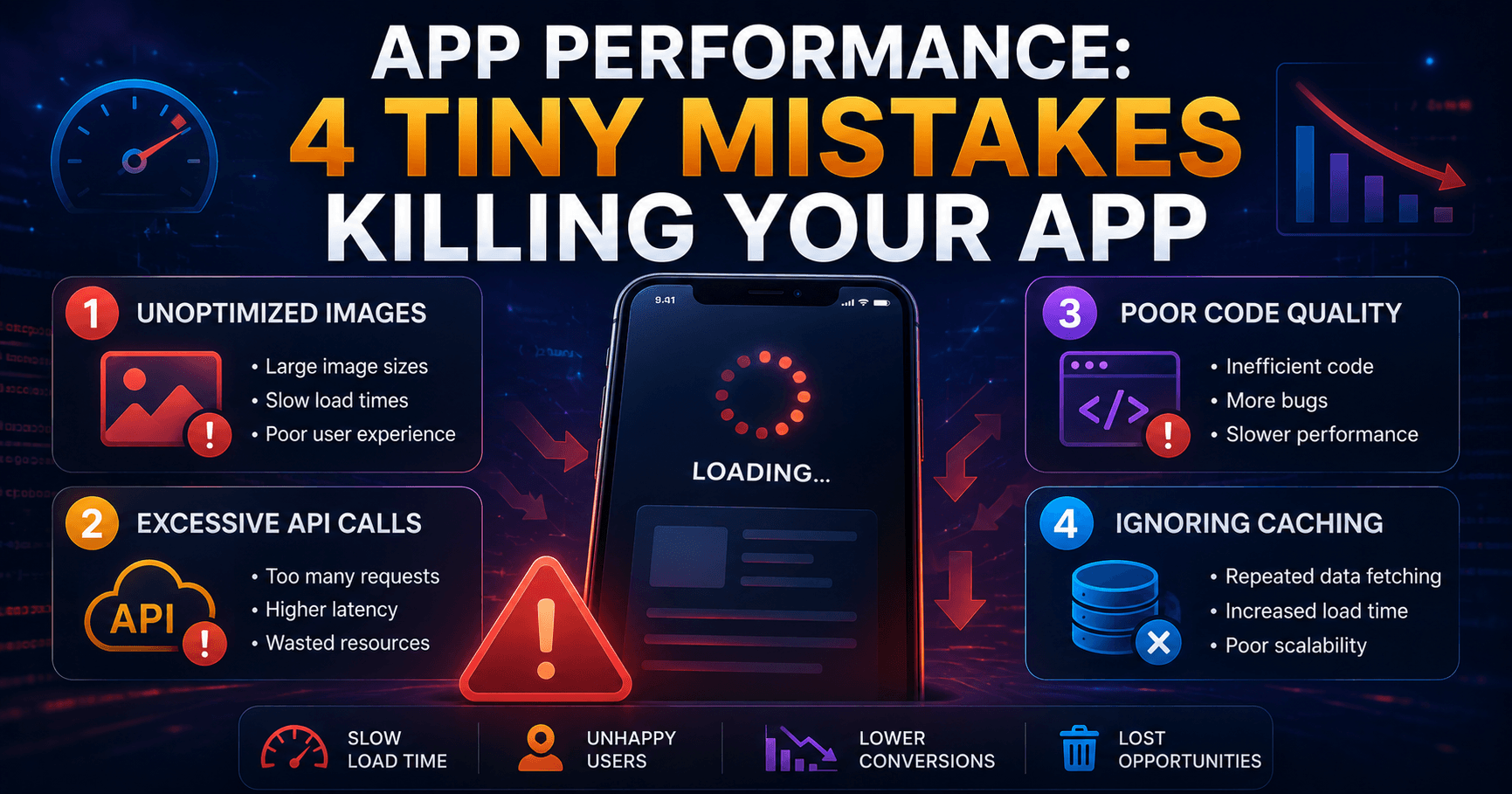
App Performance: 4 Tiny Mistakes Killing Your App
App Performance: 4 Tiny Mistakes Killing Your App
In today's hyper-competitive digital landscape, a sluggish or unresponsive application is a one-way ticket to user churn. While developers meticulously craft features and design intuitive interfaces, a few seemingly minor oversights can collectively sabotage the user experience, leading to frustration and uninstalls. At Clickable India, we understand the critical role of performance in app success. This article dives deep into four subtle yet significant mistakes that might be silently destroying your app's performance, impacting everything from user retention to conversion rates. Addressing these can be as impactful as a major refactor, especially when aiming for global reach and dominating search results across platforms like Google Search, Discover, and News.
Key Takeaways:
- Understanding and mitigating memory leaks is crucial for sustained app performance.
- Inefficient network requests can drastically slow down user interaction.
- Over-reliance on background processes can drain battery and degrade foreground performance.
- Unoptimized image and asset loading leads to longer load times and increased data consumption.
The Unseen Culprits: Why Performance Matters More Than Ever
According to recent industry reports, a significant percentage of users will abandon an app after just one bad experience. For instance, studies by Microsoft and Amazon have indicated that users expect web pages and applications to load within a few seconds, with tolerance decreasing rapidly beyond that. In the context of app development, this translates to a need for constant vigilance over performance metrics. Google's own algorithms, including those powering AI Overviews and Google Discover, prioritize content that offers immediate value and a seamless user experience. Therefore, optimizing for performance isn't just about user satisfaction; it's a fundamental SEO and AEO strategy for global visibility.
We've seen trends in developer communities, like those on Dev.to, where discussions around performance bottlenecks frequently surface. A recent popular post highlighted "4 Tiny Mistakes That Secretly Destroy App Performance," echoing the very issues we'll explore. This indicates a widespread recognition of these subtle yet critical performance killers. For businesses operating globally, whether in the US, UK, or India, a performant app is non-negotiable.
Mistake 1: The Silent Killer - Unmanaged Memory Leaks
What is a memory leak? A memory leak occurs when a program allocates memory but fails to release it back to the operating system when it's no longer needed. Over time, these unreleased memory chunks accumulate, consuming valuable system resources and eventually leading to application slowdowns, crashes, or even system instability.
Why it's a tiny mistake: Memory leaks often arise from subtle coding errors, such as forgetting to nullify listeners, improperly closing resources (like file handles or network connections), or holding onto references to objects that are no longer in use. These are not typically glaring bugs but rather oversights in resource management that can manifest subtly over extended usage sessions.
The impact:
- Degraded Responsiveness: As memory becomes scarce, the system has to work harder to manage available resources, slowing down all operations within the app.
- Increased Battery Consumption: The device's CPU might run at higher frequencies to compensate for memory pressure, leading to accelerated battery drain.
- Crashes: In severe cases, the operating system might terminate the app to reclaim memory, resulting in unexpected crashes.
How to fix it:
- Regular Profiling: Utilize built-in profiling tools in development environments (like Xcode's Instruments for iOS or Android Studio's Profiler) to detect memory usage patterns and identify leaks.
- Weak References: Employ weak references for objects that should not prevent garbage collection.
- Lifecycle Awareness: Ensure that resources and listeners are properly released in accordance with the component's lifecycle (e.g., `onDestroy()` in Android, `viewWillDisappear`/`deinit` in iOS).
- Code Reviews: Conduct thorough code reviews specifically looking for potential memory management pitfalls.
For more in-depth guidance on development practices, you might find our About Us page relevant, as we often feature articles on best practices.
Mistake 2: The Network Bottleneck - Inefficient Data Fetching
What is inefficient data fetching? This refers to making too many network requests, fetching more data than necessary, or not handling network responses optimally. Common culprits include making individual requests for data that could be batched, fetching entire datasets when only a few items are needed, or not implementing caching strategies.
Why it's a tiny mistake: Developers might be tempted to fetch data as soon as it's needed, without considering the cumulative impact. It's easy to make multiple small API calls instead of one larger, more efficient one, or to retrieve all user profile details when only the username is required for a specific screen.
The impact:
- Slow Load Times: Each network request adds latency, and numerous requests can significantly extend the time it takes for content to appear.
- Increased Data Usage: Fetching unnecessary data consumes user's mobile data, which can be a major deterrent, especially in regions with high data costs or limited plans.
- Server Strain: A high volume of inefficient requests can put undue stress on your backend servers, potentially leading to performance issues on the server-side as well.
How to fix it:
- Batching Requests: Group multiple related data requests into a single API call whenever possible.
- GraphQL: Consider using GraphQL, which allows clients to request exactly the data they need, eliminating over-fetching.
- Caching: Implement client-side caching for frequently accessed data. This reduces the need for repeated network calls.
- Pagination: For large datasets, always implement pagination to fetch data in manageable chunks.
- Optimistic UI Updates: For certain actions, update the UI immediately and handle the network response asynchronously.
This focus on efficient data handling is crucial for apps aiming for a global audience, where network conditions can vary dramatically. Understanding your users' environments is key, and we often discuss such strategic considerations on our Contact page discussions.
Mistake 3: The Background Burden - Overuse of Background Processes
What is overuse of background processes? This involves running tasks, services, or updates in the background more frequently or for longer durations than necessary. While background execution is essential for many app functions (like syncing data or playing music), excessive use drains resources.
Why it's a tiny mistake: Developers might schedule regular background tasks without fully appreciating their cumulative impact on battery life and foreground performance. For instance, a simple data refresh every few minutes, even when the app isn't actively being used, can be detrimental.
The impact:
- Accelerated Battery Drain: Constantly running background tasks keeps the CPU and network radio active, significantly reducing battery life.
- Degraded Foreground Performance: When the app is in the foreground, background processes can compete for resources (CPU, memory, network), leading to a sluggish user experience.
- System Throttling: Modern operating systems actively manage background processes to conserve resources. Overly aggressive background activity can lead to the OS throttling or even killing your app's background tasks.
How to fix it:
- Job Schedulers: Use platform-specific efficient job schedulers (like WorkManager on Android or BackgroundTasks framework on iOS) that allow the OS to optimize execution based on battery level, network availability, and device state.
- Event-Driven Execution: Trigger background tasks only when necessary (e.g., when the device is charging, on Wi-Fi, or when specific user actions occur) rather than on fixed intervals.
- Batching Background Work: Combine multiple background operations into single, efficient tasks.
- Foreground Service Optimization: If a foreground service is truly necessary, ensure it's doing the minimum amount of work required and is stopped promptly when no longer needed.
Mistake 4: The Visual Lag - Unoptimized Images and Assets
What is unoptimized image and asset loading? This mistake involves loading images or other media assets that are larger than necessary for their display size, not using appropriate image formats, or failing to implement lazy loading techniques.
Why it's a tiny mistake: It's easy to simply use high-resolution images directly from design assets without considering the context of their use within the app. Developers might forget to resize images for different screen densities or use inefficient file formats like uncompressed BMPs.
The impact:
- Increased Load Times: Large image files take longer to download and decode, directly impacting screen loading times.
- Higher Memory Footprint: Loading large images into memory consumes significant RAM, which can lead to performance issues and OutOfMemory errors, especially on lower-end devices.
- Excessive Data Consumption: Users on metered connections will quickly exhaust their data allowances if apps are constantly loading large, unoptimized assets.
How to fix it:
- Responsive Images: Serve images scaled appropriately for the display size and screen density. Use vector graphics (SVG) where possible for icons and simple illustrations.
- Modern Image Formats: Utilize efficient formats like WebP or AVIF, which offer better compression and quality compared to JPEG or PNG.
- Lazy Loading: Load images only when they are about to enter the viewport (i.e., when the user scrolls them into view).
- Image Compression: Compress images appropriately without significant loss of visual quality.
- Asset Optimization Tools: Leverage build tools and libraries that can automate image optimization during the build process.
Conclusion: Performance as a Competitive Advantage
In the relentless pursuit of app success, overlooking these four tiny mistakes can lead to significant performance degradation. Memory leaks, inefficient network requests, excessive background processes, and unoptimized assets are silent assassins of user experience. By proactively addressing these subtle yet impactful issues, you can ensure your application runs smoothly, efficiently, and responsively across all devices and network conditions. This commitment to performance is not just about fixing bugs; it's about building trust, enhancing user satisfaction, and ultimately, achieving a competitive edge in the global app market. For businesses looking to make a mark, like those we aim to support at Clickable India, a high-performing app is a cornerstone of digital strategy.
People Also Ask (PAA)
What are the most common app performance issues?
The most common app performance issues include memory leaks, inefficient network requests, excessive background process usage, unoptimized image and asset loading, slow UI rendering, and database performance problems.
How can I improve my app's speed?
To improve app speed, focus on optimizing code, reducing network latency, implementing effective caching, optimizing image and asset loading, minimizing background tasks, and regularly profiling your app for bottlenecks.
What is a memory leak in mobile apps?
A memory leak in mobile apps occurs when allocated memory is not released back to the system after it's no longer needed. This leads to a gradual increase in memory consumption, potentially causing slowdowns, crashes, and instability.
How important is app performance for user retention?
App performance is critically important for user retention. Users have low tolerance for slow or buggy apps and are likely to uninstall them after a single negative experience, significantly impacting retention rates.
Frequently Asked Questions
What are the most common app performance issues?
How can I improve my app's speed?
What is a memory leak in mobile apps?
How important is app performance for user retention?
Stay Updated
Get the latest posts delivered to your inbox.
Related Posts
 Technology
Ubuntu to FreeBSD: 10-Year Server Migration Lessons
A decade-long journey from Ubuntu to FreeBSD. Discover critical lessons learned in this comprehensive server migration...
 Technology
The Rise of AI Agents in Modern Tech & Business
Explore the transformative role of AI agents in technology and business, their applications, benefits, and future...